KNEC E-Certificate Portal 2026
Meta description: Discover how to register, download KCSE and KCPE certificates, check KNEC e-certificate fees, and verify academic documents online in Kenya.
Slug: knec-e-certificate-portal-2026
Focus keyword: KNEC E-Certificate Portal 2026
Related keywords: KNEC e-certificate download, KCSE certificate online, KCPE certificate download, KNEC certificate fees 2026, KNEC online certificate verification.
Introduction
The Kenya National Examinations Council (KNEC) provides an online platform for eligible former candidates to access digital examination certificates. The service is designed to make academic documentation more convenient for people applying for jobs, college and university admissions, scholarships, and other opportunities.
Candidates can begin by visiting the official KNEC E-Certificate Portal.
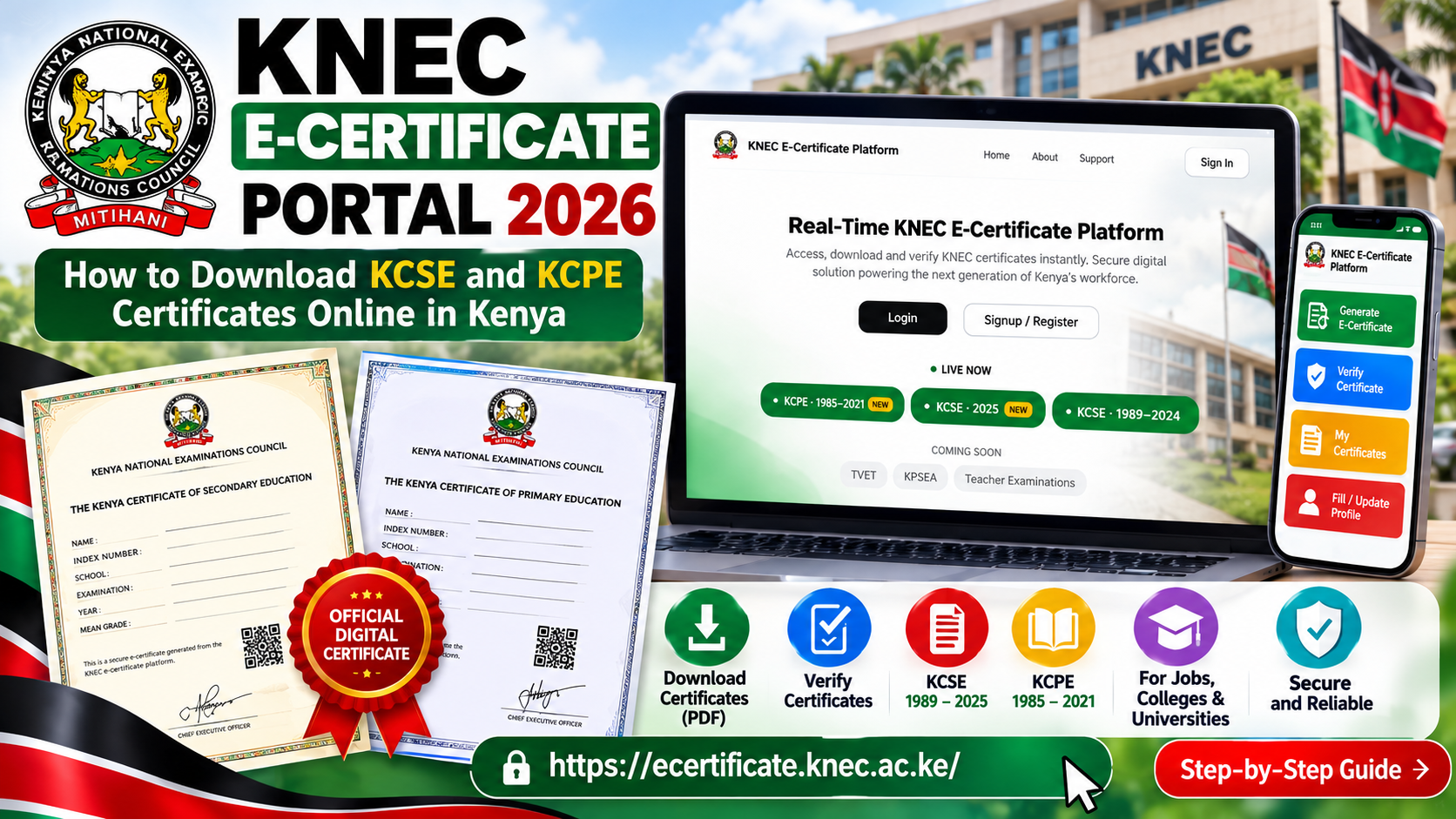
The platform lists KCSE examination years from 1989 to 2025 and KCPE years from 1985 to 2021. Individual certificate availability depends on the candidate’s examination record.
Featured infographic: KNEC E-Certificate Portal 2026

Illustration: The KNEC e-certificate process, dashboard functions, requirements, fees and troubleshooting tips.
Quick answer: How do I download my KNEC certificate?
-
Visit ecertificate.knec.ac.ke.
-
Register as an applicant or sign in.
-
Verify your email address using the OTP provided.
-
Complete the profile information requested.
-
Select the e-certificate service.
-
Enter your examination type, index number and examination year.
-
Confirm your details and follow the official payment instructions.
-
Download your certificate when it is available.
The reported KCSE e-certificate fee is KSh 1,500. Always confirm the current fee on the official portal before making payment.
1. How to register on the KNEC E-Certificate Portal

First-time applicants need to create an account before accessing the relevant services.
-
Open the official portal.
-
Select Register or Sign Up.
-
Choose the applicant or student/alumni option if presented.
-
Enter your full name and personal email address.
-
Accept the applicable terms.
-
Request the OTP verification code.
-
Check your email, including the spam folder.
-
Enter the code and complete registration.
Use an email account that you can access. If the OTP fails to arrive, check the spelling of your email address and request another code if the portal allows it.
2. Requirements for downloading your certificate

Prepare the following details before starting your application.
| Requirement | Why it is needed |
|---|---|
| Personal email address | Registration and notifications |
| Full name | Candidate identification |
| Examination index number | Locating your examination record |
| Examination year | Selecting the correct record |
| Examination type | Choosing KCSE or KCPE |
| Identification details | Verification, where required |
| Payment method | Paying the fee displayed on the portal |
Enter your details carefully. If the portal displays a name or examination record that does not match your information, seek assistance before paying.
3. How to download a KCSE e-certificate

Step 1: Sign in
Open the official KNEC portal and sign in with your registered account.
Step 2: Complete your profile
Provide the personal and identification details requested by the system. Make sure the information is accurate.
Step 3: Select the certificate service
From the dashboard, look for the certificate-generation or download service available to you.
Step 4: Enter your examination details
Select KCSE and enter your examination index number and year.
For a candidate who sat the 2025 KCSE examination, select 2025 if that is the correct year shown on the record.
Step 5: Confirm your details
Review the candidate information returned by the system. Do not continue if the information is incorrect or belongs to another person.
Step 6: Make payment
Follow the payment instructions displayed on the official platform. Confirm the amount and transaction details before authorising payment.
Step 7: Download your certificate
When the application has been processed, use the available download option to save your certificate in PDF format. Store the file securely and keep a backup.
4. How to download a KCPE e-certificate

The portal lists KCPE examination years from 1985 to 2021.
To check your KCPE certificate:
-
Visit the official KNEC portal.
-
Register or sign in.
-
Complete the profile and identity checks.
-
Select the available certificate service.
-
Enter your KCPE index number and examination year.
-
Review the record displayed.
-
Follow the instructions for payment and downloading.
If your record is not available, check the index number and examination year before contacting KNEC.
5. KNEC e-certificate fees in 2026

Reports published in 2026 listed the KCSE e-certificate fee at KSh 1,500 per certificate.
| Service | Fee information |
|---|---|
| KCSE e-certificate | Reported at KSh 1,500 |
| KCPE e-certificate | Confirm the applicable fee on the portal |
| Certificate verification | Check the current service requirements and charges |
The amounts and services offered may change. Treat the official payment page as the final reference before making a transaction.
Payment safety: Use only the payment method displayed on the official website. Avoid sending money to personal numbers or unofficial agents.
6. How to verify a KNEC e-certificate

Certificate verification helps an employer or educational institution establish whether an academic document is authentic.
The general process is to:
-
Access the official verification service.
-
Enter the details requested by the portal.
-
Provide the certificate or candidate information as instructed.
-
Enter the recipient details where applicable.
-
Follow the required consent and payment steps.
-
Submit the request and follow the instructions for receiving the verification report.
Check the recipient’s details carefully, especially when the report is intended for a university, employer or other institution.
7. Common KNEC e-certificate problems and solutions

| Problem | Recommended solution |
|---|---|
| OTP not received | Check your spam folder and verify your email address. |
| Login failure | Confirm your sign-in details and follow the portal’s recovery instructions. |
| Examination record missing | Check your index number and examination year. |
| Incorrect candidate details | Contact KNEC before proceeding with payment. |
| Payment pending | Check your transaction status before paying again. |
| PDF will not download | Check your internet connection and browser download settings. |
| Certificate cannot be opened | Download it again and try a reliable PDF reader. |
| Verification report delayed | Check the application status and recipient information. |
How to Fix Common KNEC E-Certificate Portal Errors
Invalid index number: Recheck every digit and confirm that you have selected the correct examination year.
Payment not reflected: Keep your transaction reference and check the application status. Avoid duplicate payments until the original transaction has been checked.
Certificate unavailable: A year falling within the published coverage does not guarantee that every candidate’s record is immediately accessible. Contact KNEC if the record remains missing.
Profile verification failure: Review the details entered and ensure they match your identification documents.
8. Benefits of the KNEC E-Certificate Portal

The online service can make academic documentation easier for eligible candidates.
-
Convenience: Start the application online.
-
Digital access: Save an available certificate as a PDF.
-
Employment: Prepare academic documents for job applications.
-
Education: Organise certificates for college and university admissions.
-
Scholarships: Keep digital copies ready when applications require them.
-
Verification: Use the supported verification service when an organisation requests confirmation.
Always check the instructions of the organisation receiving your certificate. It may require a particular format or an additional verification report.
9. Frequently asked questions

What is the official KNEC E-Certificate Portal?
The official website is https://ecertificate.knec.ac.ke/.
Can I download my 2025 KCSE certificate?
The 2025 KCSE e-certificates were reported as available through the platform in 2026. Sign in and check your individual record.
How much does a KCSE e-certificate cost?
The reported fee is KSh 1,500 per certificate. Confirm the current amount on the official portal before paying.
Can I get an old KCSE certificate?
The portal lists KCSE examination years from 1989 to 2025. The availability of a particular candidate’s record must be checked on the platform.
Can I get a KCPE e-certificate?
The portal lists KCPE examination years from 1985 to 2021. Follow the online process to check whether your record is available.
What if I paid but cannot download my certificate?
Check the transaction status and your dashboard. Keep your payment reference and contact official KNEC support if the certificate remains unavailable.
Can I use the e-certificate for employment?
The digital certificate is intended to support access to academic credentials. Confirm whether the employer requires the certificate PDF, a verification report or additional documentation.
Conclusion
The KNEC E-Certificate Portal 2026 offers eligible candidates an online route to access KCSE and KCPE digital certificates. By registering, verifying your account, entering accurate examination details and following the official payment instructions, you can apply for your certificate and download it when available.
About the Author

Related posts:

How to Apply for TSC International Teaching Jobs 2026
TSC Promotion Vacancies 2026: TSC Advert No. 78–107/2026 Announces 34,499 Promotion Opportunities fo...
TSC Phase 2 Unlocked: Ksh 8.4 Billion, 30,000 Promotions, and Faster Career Paths

How to Confirm KJSEA Placement Online