The Ultimate Guide to Free CBALMS Registration, Login, and CBA Training for Kenyan Teachers
The roll-out of the Competency-Based Curriculum (CBC) into Senior School has fundamentally reshaped the landscape of Kenyan education. For classroom teachers, institutional heads, and educational stakeholders, this structural pivot has introduced complex responsibilities, particularly regarding continuous assessment, digital data handling, and pathway-specific learning metrics.
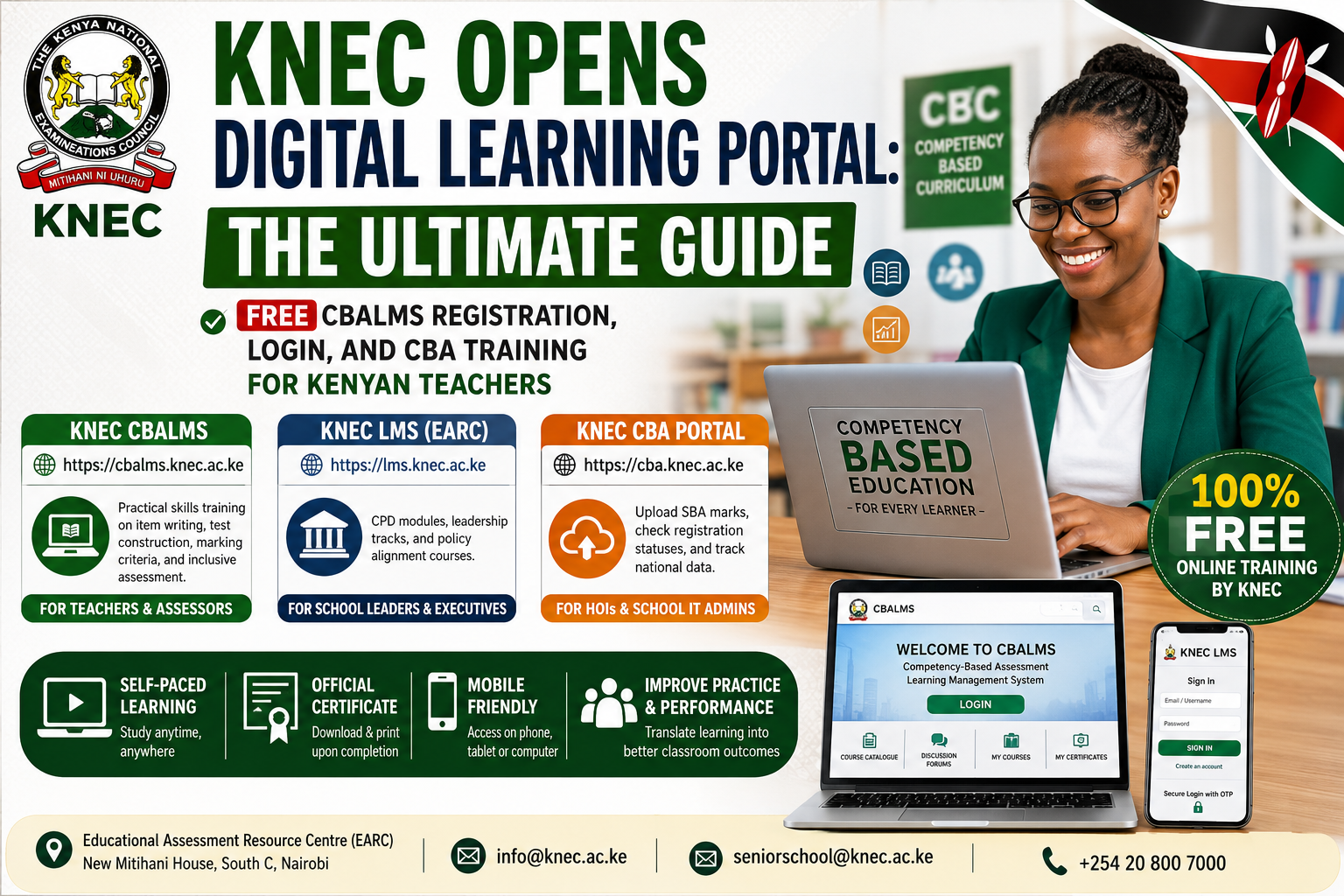
Recognizing the urgent need for comprehensive professional retraining, the Kenya National Examinations Council (KNEC) has launched a free, nationwide online capacity-building initiative. Delivered via the newly established Competency-Based Assessment Learning Management System (CBALMS) and the Educational Assessment Resource Centre (EARC) LMS, these digital portals offer teachers structured, self-paced certification programs completely free of charge.
If you are a teacher looking to stay compliant with Teachers Service Commission (TSC) professional expectations, navigate Senior School pathways, or master Competency-Based Assessment (CBA) frameworks, this long-form guide provides the operational blueprints, system insights, and troubleshooting steps you need.
Contextualizing the Shift: Why KNEC Launched CBALMS
For decades, the Kenyan evaluation framework relied on high-stakes, summative examinations like KCPE and KCSE. The CBC framework replaces this single-shot testing paradigm with a continuous, criterion-referenced matrix. Rather than grading a learner against their peers, teachers must now measure each individual’s progress against clearly defined learning outcomes and specific behavioral rubrics.
This paradigm shift requires specialized skills in:
-
Test Blueprinting: Aligning school-based tests with the correct cognitive, psychomotor, and affective domains.
-
Performance Task Design: Creating meaningful practical activities that assess actual capabilities rather than rote memorization.
-
Standardized Scoring Rubrics: Establishing objective, multi-tiered marking criteria to remove grader bias.
With thousands of Junior and Senior School teachers requiring immediate re-tooling, traditional physical workshops are logistically and financially difficult to scale. By introducing CBALMS (cbalms.knec.ac.ke) and the unified KNEC LMS (lms.knec.ac.ke), KNEC has decentralized professional development, allowing any educator with an internet-enabled device to access official training materials from any location.
Decoupling the Systems: CBALMS vs. EARC LMS vs. The CBA Portal
To navigate KNEC’s digital infrastructure efficiently, you must distinguish between the council’s different active platforms. Teachers often mistake training sites for score-upload portals, leading to configuration and login issues.
| Platform Name | Official URL | Core Purpose & Functionality | Target Audience |
| KNEC CBALMS | [https://cbalms.knec.ac.ke](https://cbalms.knec.ac.ke) |
Practical skills training focusing on item writing, test construction, marking criteria, and inclusive assessment frameworks. | Classroom teachers, subject heads, exam item writers, and external assessors. |
| KNEC LMS (EARC) | [https://lms.knec.ac.ke](https://lms.knec.ac.ke) |
Broad Continuous Professional Development (CPD) modules, institutional leadership tracks, and policy alignment courses. | School principals, headteachers, senior executives, and career progression candidates. |
| KNEC CBA Portal | [https://cba.knec.ac.ke](https://cba.knec.ac.ke) |
Operational database for uploading School-Based Assessment (SBA) marks, checking registration statuses, and tracking national data. | Heads of Institutions (HOIs) and designated school IT administrators. |
Operational Guide: Account Registration and Portal Login
Both training platforms operate on a linear, self-paced learning model. This means that within any given course track, advanced modules remain locked until you successfully complete the foundational levels and pass their integrated formative quizzes.
To create your profile and activate your account, use the standardized verification tracks outlined below.
Track A: Accessing the Competency-Based Assessment Learning Management System (CBALMS)
The CBALMS portal is built on the Chamilo engine, optimized for rich instructional delivery and interactive discussion forums.
Track B: Registering on the Unified KNEC LMS (EARC Platform)
For broader professional programs and leadership modules, the primary KNEC LMS platform incorporates an added layer of authentication via security protocols.
-
Navigate to the Sign-In Page: Visit
[https://lms.knec.ac.ke/signin](https://lms.knec.ac.ke/signin). -
Access Account Creation: Click on the “Create an account” link situated below the primary credential fields.
-
Input Profile Particulars: Provide your legal identity data, institutional affiliation, and designated email address. Formulate a strong password adhering to modern security parameters.
-
Complete Two-Factor Security: Upon attempting your initial login, check your verified email for an automated One-Time Password (OTP) or verification sequence. Enter this code into the portal prompt to secure and finalize your session.
Core Curricular Architecture: What You Will Study
The training material provided across these systems is structured to directly translate into daily classroom practice. Rather than presenting abstract pedagogical theories, the modules focus on the practical mechanical processes of modern educational measurement.
[CBALMS Training Core]
   ├── Module 1: Test Blueprinting & Item Banking
   ├── Module 2: Rubric Customization & Analytic Scales
   ├── Module 3: Portfolio Assessment & Long-term Evidence
   └── Module 4: Inclusive Testing & Differentiated Adaptation
1. Test Construction and Item Blueprinting
This module teaches you how to construct an assessment blueprint (Table of Specifications). You will learn how to map test items against specific cognitive domains (Knowledge, Application, Analysis) ensuring that a classroom test accurately reflects the breadth of the KICD (Kenya Institute of Curriculum Development) designs. You will also learn the rules of drafting high-quality multiple-choice, short-answer, and extended-response items.
2. Scoring Rubrics and Grading Moderation
Under a competency framework, a flat numerical mark (e.g., 7/10) is insufficient. This learning track teaches educators how to develop explicit, criteria-driven rubrics using the four standard national performance levels:
-
Level 4: Exceeding Expectations
-
Level 3: Meeting Expectations
-
Level 2: Approaching Expectations
-
Level 1: Below Expectations
You will learn to write objective performance indicators for each level, ensuring that distinct assessors evaluating the same student portfolio arrive at the identical conclusion.
3. School-Based Assessment (SBA) Portfolio Management
Continuous assessment demands systematic record-keeping. This component trains teachers on how to manage physical and digital learner portfolios, compile authentic observations over time, and aggregate long-term behavioral evidence without succumbing to clerical overload.
4. Differentiated and Inclusive Assessment
A core tenet of the CBC is equity. This specialized pathway guides item writers and teachers on how to adapt assessment tasks for learners with diverse needs. This includes structuring assessment considerations for gifted and talented individuals as well as designing accommodations for learners with physical, visual, auditory, or cognitive challenges.
Deep-Dive Frequently Asked Questions (FAQs)
Is this online training mandatory for all TSC registration renewals?
While the Teachers Service Commission maintains independent professional requirements, completion of these courses directly complements your performance tracking. It provides verified evidence of continuous professional growth, which plays a helpful role in career progression reviews, institutional promotions, and deployments to Senior School sections.
Can I run these portals comfortably on a smartphone?
Yes. Both the Chamilo-powered CBALMS interface and the main KNEC LMS platform are built on responsive web frameworks. They automatically scale down to operate on mobile web browsers, allowing you to read notes, participate in discussion forums, and tackle quizzes on any modern smartphone or tablet.
What should I do if the platform displays a “JavaScript Support Disabled” warning?
If you encounter this message on the CBALMS portal, it means your browser’s security settings or an ad-blocking extension is preventing essential interactive components from running. To fix this, navigate to your browser settings, click on Privacy & Security, locate Site Settings, select JavaScript, and toggle it to “Allowed.” Then, reload your page.
How do I retrieve my certificate upon completing a course?
Once you complete all linear learning modules and successfully pass the automated unit quizzes, your dashboard generates a unique completion record. Navigate to your profile area or the designated “My Certificates” section within your account to view and download a printable, high-resolution PDF certificate featuring an official verification track.
Who should I contact if I face a persistent system error or login failure?
If you run into database synchronization errors, missing confirmation emails, or account lockouts, you can reach out for technical support via the official channels:
-
Physical Desk: Educational Assessment Resource Centre (EARC), New Mitihani House, South C, Nairobi.
-
Direct Inquiry Email:
info@knec.ac.keor the specific pathway desk atseniorschool@knec.ac.ke.
Are you setting up your training profile on the new CBALMS portal this week? Let us know in the comments section below if you run into any hitches with the system registration or email activation process!
About the Author

Related posts:
Best Embu County Senior Schools { C1 National, C2 Extra-County, C3 County and C4 Sub-County
Best Elgeyo-Marakwet County Senior Schools {C1 National, C2 Extra-County, C3 County and C4 Sub-Count...
Complete Guide to School Safety Requirements in Kenya: Compliance Manual for Principals, BOMs, and E...

BREAKING NEWS: Fatal Fire at Utumishi Girls Academy in Gilgil Claims Multiple Young Lives